
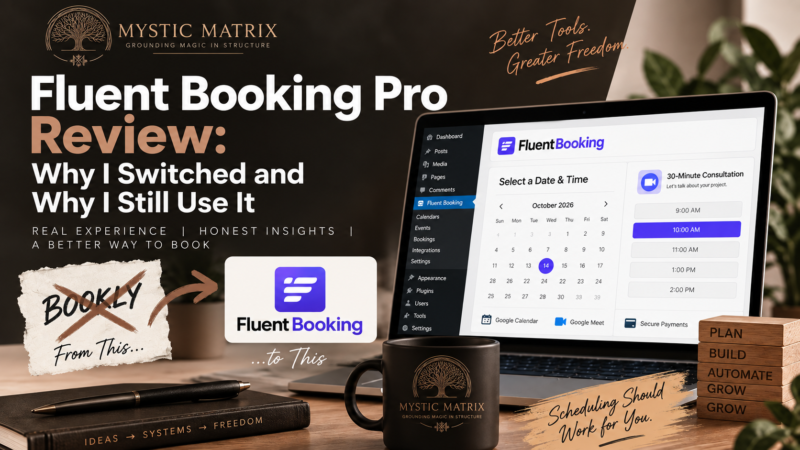
I originally chose Bookly because it was one of the most established WordPress booking plugins available.
That seemed like the logical choice.
Then I actually had to build with it.
The booking itself worked. My frustration came from everything surrounding the booking: setup, customization, additional functionality, and the steady realization that something I needed often required another add-on.
Eventually, I started testing Fluent Booking Pro.
The difference was immediate.
One of the first things I did was connect Google Meet. It took basically two clicks, and I remember staring at the screen thinking, “That’s it?”
Apparently software had conditioned me to expect a small hostage negotiation every time I wanted two tools to talk to each other.
I switched to Fluent Booking, and I still use it.
That does not mean Fluent Booking is perfect. It has limitations, including one that directly affects how I build intake forms. But after using both systems and looking at them from the perspective of cost, usability, integrations, technical architecture, and long-term business fit, Fluent Booking works much better for the way I run my business.
Fluent Booking Pro Review: My Verdict
Fluent Booking Pro is the WordPress booking plugin I currently use and recommend for service-based businesses that want a relatively easy-to-manage booking system without building their workflow around dozens of separate booking add-ons.
What I like most:
- The core setup is relatively straightforward.
- Pro features are bundled into the Pro license rather than sold individually as a long list of booking add-ons.
- Google Calendar and Google Meet integration is simple.
- It integrates deeply with FluentCRM and Fluent Forms.
- It runs inside WordPress, giving me more control over my business data.
- The developer architecture gives me room to extend the system later.
My biggest limitation:
Fluent Booking does not give me the conditional field logic I need directly inside its standard booking questions.
When I need a more complex intake, I use Fluent Forms Pro and add the Fluent Booking service inside the form.
That distinction matters because the real cost of software is rarely just the number printed on the pricing page.
Why I Switched From Bookly to Fluent Booking
Why I Originally Chose Bookly
I chose Bookly because it was popular.
There is nothing particularly profound about that decision.
When you are researching software and one product has been around for years, has a large installed base, and appears repeatedly in recommendations, it feels safer.
Popularity can tell you that a product has adoption.
It cannot tell you whether you are going to enjoy building your business around it.
That part I learned later.
What Frustrated Me About Bookly
My biggest issue with Bookly was the amount of functionality that was divided into additional add-ons.
I do not have a problem paying for good software.
I have a problem buying software and repeatedly discovering that another basic thing I need requires another purchase.
Custom fields were one of those moments for me.
I wanted to collect additional information from the person making the booking.
That required additional functionality.
Then other needs came up.
More add-ons.
Eventually, the booking plugin started feeling less like one product and more like a box of Lego pieces being sold individually.
Bookly Has Changed Since I Used It
Bookly has changed its pricing structure since my experience with it.
That matters.
Its current bundled plans include many features that historically existed as separate add-ons. Bookly also continues to maintain a large add-on catalog for businesses that need specific extensions.
So I would not tell someone evaluating Bookly today that they will necessarily have the exact buying experience I had.
My experience explains why I left.
Current pricing explains what a new customer would encounter now.
Both belong in an honest review.
Is Fluent Booking Easy to Set Up?
For the core booking workflow, yes.
Initial Setup
The basic setup process follows a logical progression:
- Create the calendar.
- Set your availability.
- Create an event type.
- Choose the meeting duration.
- Configure booking rules.
- Connect your calendar or meeting platform.
- Customize notifications.
- Publish or embed the booking page.
There is still a learning curve once you start working with more advanced scheduling.
Team calendars, round-robin booking, custom automations, webhooks, and complex availability rules naturally require more configuration.
But I have found the basic interface significantly easier to work with than my previous booking setup.
And sometimes “the settings are where I assumed the settings would be” is apparently a luxury feature in WordPress.
Connecting Google Calendar and Google Meet
This was one of the moments that sold me on Fluent Booking.
I connected my Google account and Google Meet integration without having to build some ridiculous external workflow around it.
For my business, that matters because live sessions are part of the customer journey.
I do not want booking software creating additional administrative work every time someone schedules an appointment.
How Much Does Fluent Booking Pro Cost?
Fluent Booking Pro uses a licensing model based primarily on the number of websites where you install it.
The company offers annual and lifetime licenses, and promotional pricing changes periodically.
Because software pricing changes constantly, I recommend checking the current Fluent Booking pricing page rather than relying on an article written months ago.
Does Fluent Booking Require Paid Add-Ons?
Fluent Booking Pro does not use the same traditional paid add-on structure I experienced with Bookly.
The Pro license includes the Fluent Booking Pro feature set.
That makes the core booking cost easier to understand.
However, that does not mean every possible business workflow can be built with Fluent Booking alone.
Conditional intake is the perfect example.
If your booking process requires advanced conditional fields, you may also need Fluent Forms Pro.
That needs to be included when calculating the actual cost of the workflow.
The Real Cost of Booking Software
When I evaluate software now, I do not stop at the advertised license price.
I look at:
- The core license.
- Additional plugins or extensions.
- External SaaS subscriptions.
- Payment processing requirements.
- Integration costs.
- Maintenance time.
- Development requirements.
- Future migration costs.
A $50 plugin can become a very expensive system if it requires six other products to perform the workflow your business actually needs.
A more expensive plugin can sometimes be cheaper if it removes those dependencies.
Sticker price is only one part of the equation.
Fluent Booking vs. Bookly: Add-On Dependency
This is one of the biggest differences between my experience with the two products.
How Fluent Booking Handles Pro Features
Fluent Booking bundles its own Pro functionality into the Pro license.
That gives me more predictable costs and fewer moving pieces to maintain.
How Bookly Handles Extensions
Bookly has historically relied heavily on extensions and still maintains an extensive add-on ecosystem.
That approach has an advantage.
A business can add highly specialized functionality without necessarily loading every possible feature into the core product.
But it also creates another layer of decision-making.
Before comparing Bookly pricing with Fluent Booking pricing, you need to determine which Bookly features your actual workflow requires.
Otherwise you are comparing incomplete numbers.
Why Add-On Dependency Matters
Every additional plugin or extension becomes another dependency.
Dependencies can affect:
- Cost.
- Updates.
- Compatibility.
- Troubleshooting.
- Security.
- Performance.
- Migration.
- Long-term maintenance.
One additional plugin is usually no big deal.
Twenty-seven little dependencies having a group project in the background of your website is a different conversation.
How User-Friendly Is Fluent Booking?
For my use case, very.
Creating and Managing Bookings
The administrative flow makes sense to me.
I can create calendars, define event types, control availability, manage bookings, and connect meeting platforms without feeling like I need to reverse-engineer the plugin first.
Custom Booking Questions
Fluent Booking allows custom questions inside the booking flow.
That is useful for basic intake.
You can collect additional information without automatically needing another form builder.
But there is a limit.
Fluent Booking’s Biggest Weakness: Conditional Fields
This is the limitation I personally run into.
What Fluent Booking Can Do
Fluent Booking can collect custom information during the booking process.
For straightforward questions, that works fine.
What Fluent Booking Cannot Do for My Workflow
I sometimes need conditional logic.
For example:
If someone answers one question a certain way, I may need three additional questions to appear.
If they answer differently, those questions may be irrelevant.
Fluent Booking’s standard booking questions do not give me the conditional field control I need for that type of intake.
How I Solve It With Fluent Forms Pro
When I need conditional logic, I build the intake using Fluent Forms Pro.
Fluent Forms allows me to add the Fluent Booking service inside the form, map the necessary client information, and then use conditional logic for the rest of the intake.
That solves the problem.
But it is still a limitation worth mentioning.
What This Means for Your Actual Cost
If you already own Fluent Forms Pro, this may barely affect you.
I already use Fluent Forms Pro, so it fits naturally into my existing stack.
If you do not own it and conditional intake is important to your business, then your real workflow cost may be:
Fluent Booking Pro + Fluent Forms Pro.
That is the kind of thing I want someone to tell me before I purchase software.
Fluent Booking Integrations and the Fluent Stack
This is where Fluent Booking becomes much more valuable to me.
I do not evaluate it as an isolated booking plugin.
I evaluate it as part of a larger business technology stack.
Fluent Booking and FluentCRM
Fluent Booking integrates directly with FluentCRM.
That means booking activity can become part of the client record and trigger CRM workflows.
Instead of manually moving information between tools, the booking can become part of the larger automation process.
Fluent Booking and Fluent Forms
Fluent Forms allows me to build more complex intake experiences while still using Fluent Booking for the scheduling layer.
That gives me much more flexibility than forcing every client workflow through the standard booking form.
Google Calendar and Google Meet
Google Calendar and Google Meet integration are major parts of my own workflow.
The easier those connections are to maintain, the less administrative friction I create for myself.
Why Ecosystem Integration Matters
Feature lists are easy to compare.
Interoperability is harder.
I want to know whether the pieces of my business can exchange information without five middleware products, twelve webhooks, and a prayer.
A feature is much more useful when it works with the rest of the business.
What Is Fluent Booking Built With?
Both Fluent Booking and Bookly are WordPress products built primarily using PHP and JavaScript.
The more interesting difference is how the software is structured.
Fluent Booking’s Technical Architecture
Fluent Booking exposes modern developer tooling including REST API routes, hooks, filters, models, controllers, services, and dedicated database tables.
That gives developers multiple ways to interact with and extend the product.
Why Technical Architecture Matters to a Business Owner
Most business owners do not need to know what a controller is.
They should still care about the consequences.
I want to know:
- Can this software be extended?
- Is there an API?
- Are there documented hooks and filters?
- Can a developer add functionality without editing core files?
- Can I connect it to something the original developer did not anticipate?
- How difficult will custom development become later?
The answers to those questions affect how long a piece of software can remain useful to the business.
I have no interest in replacing a booking system in three years because I discovered too late that there was nowhere left to go with it.
Who Owns the Booking Data?
Fluent Booking runs inside WordPress.
That means the booking system and its database live within an environment I control.
I value that.
Why Data Ownership Matters
Business software changes.
Prices increase.
Terms change.
Features disappear.
Companies get purchased.
A perfectly reasonable $20 tool eventually discovers enterprise pricing and suddenly wants your firstborn child and a signed authorization form.
I cannot eliminate every vendor dependency.
But I can make deliberate decisions about which parts of my business I want hosted and controlled elsewhere.
For important operational data, I generally prefer more ownership and portability rather than less.
What Are the Weaknesses of Fluent Booking?
Fluent Booking works very well for me, but there are situations where I would test carefully before committing.
Conditional Intake
This is my biggest personal limitation.
Advanced conditional intake requires bringing Fluent Forms or another form workflow into the process.
Complex Team Scheduling
Some users have reported problems with more advanced scheduling scenarios, including round-robin configurations and calendar synchronization.
If that functionality is critical to your business, test your actual workflow.
Do not assume a successful demo means your specific scheduling structure will behave exactly the same way.
Specialized Booking Features
Certain businesses may need functionality beyond Fluent Booking’s current focus.
Examples can include:
- Complex booking packages.
- Specialized client portals.
- Industry-specific scheduling.
- Advanced waiting-list behavior.
- Highly specialized payment workflows.
- Native mobile administration requirements.
That does not make Fluent Booking inadequate.
It means there is no universally correct booking plugin.
Is Fluent Booking Better Than Bookly?
For my business, yes.
For every business, no.
| Area | Fluent Booking | Bookly |
|---|---|---|
| Core setup | Easier for my workflow | More complicated in my experience |
| Pro pricing | Bundled feature model | Bundled plans plus extensive add-on ecosystem |
| Add-on dependency | Lower for core booking features | Historically much heavier |
| Conditional intake | Requires another workflow for advanced logic | Depends on selected configuration and extensions |
| Fluent ecosystem integration | Excellent | Not its primary advantage |
| Product maturity | Newer | Much more established |
| Specialized extensions | More limited | Extremely broad |
| Developer extensibility | Strong API, hooks and documented architecture | Mature extensibility with a long development history |
| Best fit for me | Yes | No |
Bookly has strengths.
It is mature, established, and offers a huge range of specialized functionality.
Fluent Booking simply fits the way I build better.
That is the distinction.
Who Should Use Fluent Booking Pro?
Fluent Booking Is a Strong Fit For
I would seriously consider Fluent Booking for:
- Coaches.
- Consultants.
- Freelancers.
- Agencies.
- Marketers.
- Educators.
- Professional service businesses.
- WordPress businesses already using FluentCRM or Fluent Forms.
- Businesses that value self-hosted tools and data control.
Who Should Test Other Options
I would compare alternatives carefully if your business depends on:
- Highly complex staff scheduling.
- Advanced round-robin logic.
- Specialized booking packages.
- Industry-specific scheduling systems.
- A sophisticated client portal.
- Specialized regional payments.
- A native mobile management application.
Build your hardest real-world workflow during testing.
Not the easy one.
The weird one.
That is usually where software starts confessing.
My Final Fluent Booking Pro Verdict
I use Fluent Booking Pro because it creates less friction between my business and the technology running it.
That is the standard I care about now.
I ask:
How difficult is this to set up?
What does the complete workflow actually cost?
How many dependencies am I adding?
Can my tools communicate?
Can I customize it?
Can I extend it?
Who controls the data?
What happens when the business grows?
How difficult will it be to leave?
Those questions matter more to me than whether one booking plugin has six more features than another.
Fluent Booking has weaknesses.
I have personally run into one of them.
I still use it.
And after looking at the alternatives, I still recommend it for the type of WordPress business I build.
Affiliate disclosure: This article contains affiliate links. If you purchase Fluent Booking through my link, I may earn a commission at no additional cost to you. I recommend tools based on what I actually use, test, and would choose for my own business. An affiliate commission does not buy a glowing review. The software still has to survive me using it.
Frequently Asked Questions About Fluent Booking Pro
-
Is Fluent Booking Pro worth it?
For many WordPress service businesses, yes. Fluent Booking Pro combines scheduling, integrations, payments, automation options, and WordPress-based data control without requiring a large collection of separate booking add-ons.
Businesses with highly specialized scheduling requirements should test those workflows first.
-
Does Fluent Booking Require Add-Ons?
No, Fluent Booking Pro includes its own Pro functionality in the paid license rather than selling each booking feature as a separate add-on.
Other products may still be required for workflows outside Fluent Booking’s native feature set. Advanced conditional intake is one example.
-
Can Fluent Booking Use Conditional Fields?
Fluent Booking supports custom booking questions, but its standard booking fields do not provide the conditional logic I need for more advanced intake.
I handle that by using Fluent Forms Pro and embedding the Fluent Booking service into the form.
-
Does Fluent Booking Work With FluentCRM?
Yes.
Fluent Booking integrates directly with FluentCRM, allowing booking activity to become part of CRM contact management and automation workflows. -
Does Fluent Booking Work With Google Meet?
Yes, Fluent Booking integrates with Google Calendar and Google Meet so scheduled appointments can automatically generate meeting information as part of the booking process.
-
Is Fluent Booking Self-Hosted?
Yes.
Fluent Booking runs inside WordPress and stores its booking data within the WordPress environment rather than functioning as a completely separate scheduling SaaS platform. -
Is Fluent Booking Better Than Bookly?
Fluent Booking is better for my business because I prefer its setup experience, bundled Pro model, Fluent ecosystem integration, and technical extensibility.
Bookly remains a much more mature booking platform with a large catalog of specialized features, so another business may reasonably choose differently. -
What Is the Biggest Disadvantage of Fluent Booking?
For my workflow, the biggest disadvantage is the lack of advanced conditional logic directly inside the standard booking questions.
Businesses with complex team scheduling or specialized industry requirements may encounter other limitations.